
Jato Create Site Redesign
Created a redesign for the Jato Create Photography site, introducing a new layout, colors, and logo (provided by Mr. Choate)
Learn More“
“I think, therefore I am,”
”
Created a redesign for the Jato Create Photography site, introducing a new layout, colors, and logo (provided by Mr. Choate)
Learn More“
“I think, therefore I am,”
”
Did you know that micro-interactions make users more likely to remember a site after 30-days? (Monday) These animations are everywhere, and it’s been subconsciously improving user appeal to a site’s interface. These are what we call micro-interactions, and they actually play a much bigger role in UI/UX design than one may imagine as they can shape a user’s impression on a site’s quality & trustworthiness.
In this blog, we’ll deep dive into the overlooked micro-interactions of UI/UX design as they are subtle details that are crucial for implementing interactive design that engage the users—many times without even them knowing. In this landscape where attention spans are very picky with what they invest their time on, trying to catch peoples attention is a competitive battle among many designers and developers. Understanding how these subtle details influence user behavior and perception is crucial to being a good designer overall.
Micro-interactions are crucial to a user’s experience because it makes the user feel like the site is listening to their actions and every click is meaningful. These reactions are critical because they provide feedback between the users input and the site and help communicate status (Nielsen Norman Group).
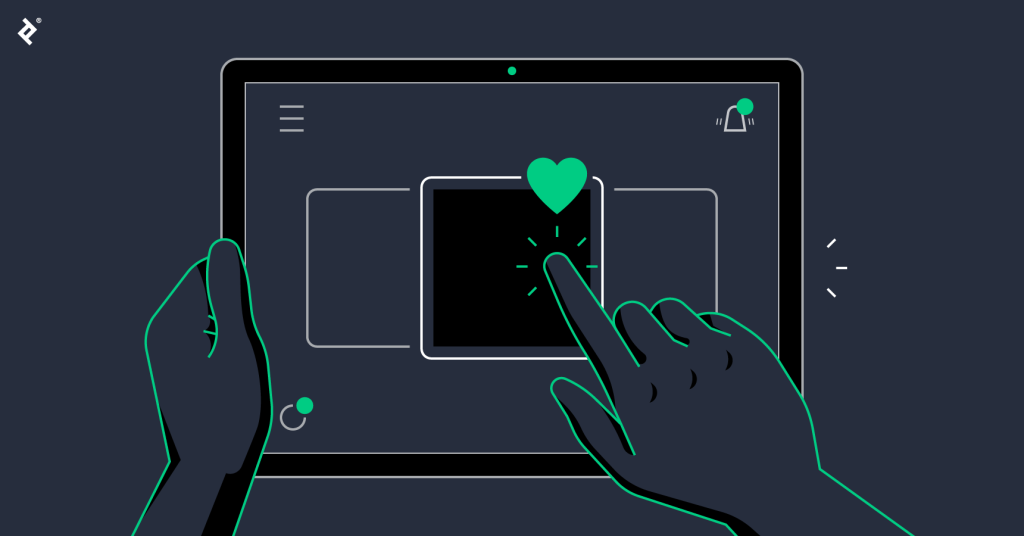
As I was discussing information of this blog during a peer review with my classmate, Carlos Nunez medina, we came to a crucial idea on how micro-interactions can also be crucial for inclusive design. Inclusive design is ensuring that UX and UI are made for everyone to be able to use, regardless of whether you struggle to see, or hear, etc. Essentially, micro-interactions don’t only have to be used for the visuals, but are also accessibility tools.
“Design should be for everyone. Designers need to think about details that make it easier for people with disabilities, such as descriptions for screen readers.” — Carlos Medina, During our Peer Discussion
For example, a micro-interaction isn’t just a color change. As a matter of fact a color-blind user may miss such detail. It should also include a shape change or a text label change. A clear visual feedback for keyboard navigation also would help those who have trouble using a mouse. According to the W3C Accessibility Standards, providing multiple sensory cues in micro-interactions is a high indicator of trustworthy design.
Another idea I’d like to bring up is using scroll-triggered animations. Scroll-triggered animations can transform boring, static pages into a highly interactive narrative. By implementing animations upon scroll, it guides users’ eyes and creates a sense of depth and feedback to the user. However, there is a limit to how much you can do it.
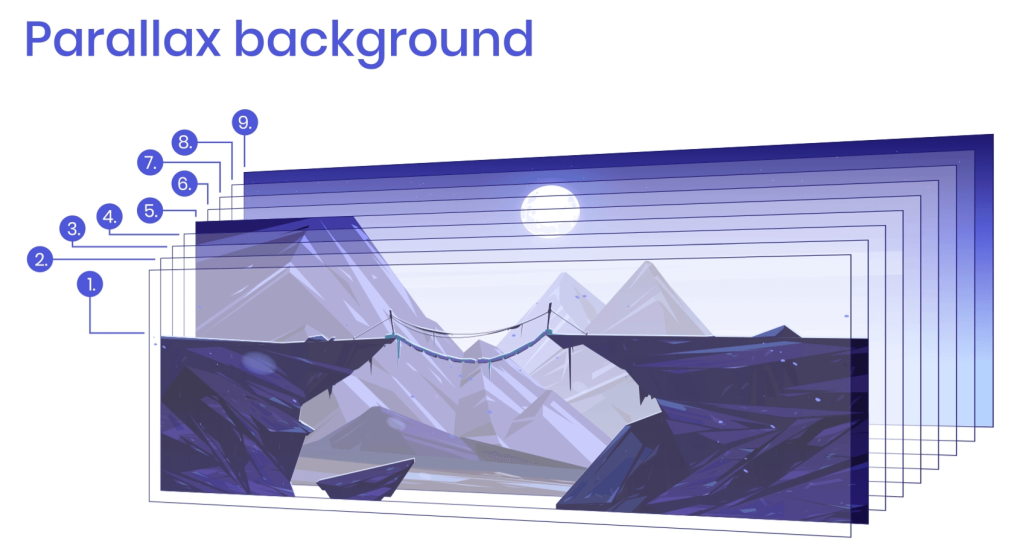
You never want to overdo the animations. Adding too much micro-interactions can actually be very harmful for your UX/UI as too much interactivity can be overstimulating or overwhelming to users. It’s best to ensure that you only add animations that actually guide users and let them know where they are and what they are doing. For example, a distinct audio that plays along with a popping visual to let the user know they just sent a message. This lets the user know that they just sent out a message to someone.
Micro interactions are overlooked elements by many users because it’s not meant to stand out. As a matter of fact, they are very subtle, and that’s the point. By understanding how micro-interactions work and implementing them thoughtfully, ordinary sites can be transformed into extraordinary user experiences that build trust and appeal to users.
What do you think? Does a lack of feedback on a website make you trust the brand less?

View previous blog: https://ssunuwar.mydcts.org/blog/languages-for-web-developer/
After mastering the foundational technologies of Web development: HTML, CSS, & JS, lots of developers wonder about how many more tools they really need to learn. In this growing age of technology where languages and frameworks are constantly developing, you may feel behind as a developer for not being able to keep up.
This is a dilemma that conflicts with many junior developers who are just learning their first technologies and who are getting into the field of development. In this blog, we will go over how many programming tools a developer should really have to learn, which technologies developers should and shouldn’t focus on, and how their specific specialty may affect which skills they should focus on.
The blunt truth is that there is no straight answer or number to how many programming tools a developer should learn. It all really depends on what development field they specialize in. Being a web developer isn’t a single job. Some developers specialize in the front end, while others specialize in backend, etc…
Front end developers should have a fluent understanding in javascript. For them, having depth in knowledge here matters more to them than anything else. This means they should be working on mastering modern frameworks such as Vue or React & getting used to their syntax. Additionally, Typescript is also a good technology to know as a frontend developer, as it shares syntax structure and has similar logic, and it’s a popular choice for large-scale development.
Backend is a diverse field, as there are many ways to go about maintaining the back end of websites. Backend developers should try to focus on a wide range of backend systems to have a good fluency and understanding of their specialty.

For backend developers, their skillsets must be more diverse, as they need fluency in more technologies compared to some other specialties. For example, they may need to know:
For developers focused on UI/UX development, they do not need to know any complex programming as others do. Instead, they should focus on having mastered HTML and CSS to an artistic extent, where they can manipulate HTML and CSS styling to express their creativity ideas and designs easily. They may also need to know some Javascript for interactivity, but nothing advanced. They won’t need to touch on any libraries or frameworks as simple design tweaks do not require that much level of coding.

You don’t need to learn every tool out there as a developer. Depending on your specialty, there are some systems that you probably shouldn’t even ever have to worry about. Although it would be good to know a thing or two about them, you probably will never touch on them or need to touch in on them. For example, a UI/UX developer should not have to know technologies such as SQL or Node.js because those systems are back-end and server-side focused—which do not relate to UI/ design development.
You shouldn’t have to learn in-depth knowledge or fluency in tools that don’t have much relation to your specialty, as you will not use them much.
Instead of counting languages, one should first build a solid foundation by knowing what they’d need to have fluency in for their specialty, and then build on their knowledge by also having some insight on other languages. For example, even though a backend developer only really needs to know languages such as PHP, SQL, Node.js, etc.., they should also have knowledge of HTML and CSS in order to know how things work and to add to what they already know.
Ultimately, a developer should learn languages in order to solve problems that they face, not to collect them. They should focus on tools that support and work alongside their specialty. In this blog, we went over the question of “How Many Languages Should You Really Learn as a Web Developer?”, different specialties and what languages they should focus on, and what languages they shouldn’t focus on. Now that you’ve read about this topic, what languages do you need to learn to succeed as a developer?
https://survey.stackoverflow.co/2025/technology: Stack Overflow Developer Survey 2025
https://www.scaler.com/blog/front-end-developer-skills/: Top 20+ Front End Developer Skills You Need
https://www.fullstackacademy.com/blog/nine-best-programming-languages-to-learn: The 15 Best Programming Languages to Learn in 2025
Do you like this blog? Check out the previous blog.
In today’s digital world, where everybody’s competing for even a few seconds of online users’ attention, how do you really hook users and make them stay? Imagine you’re scrolling through a website and then you notice colors subtly shifting, buttons popping out, and cool little animations that proceed as you scroll down the page. You might feel like the site is alive.
All of that is a result of motion design. Although it’s always been just little tweaks that developers use to make their site look fancier—It’s actually a very strong method of making your users feel more engaged and connected to your site.

Users are way more likely to stay on your site longer and feel engaged when your website is interactive and dynamic. Sure, static and plain websites get the job done, but if you’re really trying to market to users and grab their attention longer, you would want to incorporate motion design to your site. Motion design adds the cherry on top to your site to make it feel lively and engage your audience on your site.
Motion design includes things such as hover effects, animations upon click of buttons, animation upon scroll (of the site), etc… They’re motion effects that happen depending on how the user interacts with the website. Of course, motion design is not limited to site design & development. Game design, software design, and even a slides presentation can include motion design.
Motion design brings a site to life. When users are met with animations while clicking buttons and hovering over text, it adds interactivity to the site. When sites feel more interactive to the user they’re more likely to feel appealed to the site and stay a bit longer for what they’re doing. By adding motion design you can make your site more interactive to appeal to users and increase session times.
Motion design doesn’t just make your look fancy, even though it’s great for that. It can actually guide users through your site more naturally. For example, small and subtle animations can draw attention to headings, titles, buttons, etc.. You may want these things for call to actions, or just things you would want to appeal users towards.
Also, sites can feel much more interactive and alive and engage your users. If users feel like a site is interacting and responding to them, they’ll be more likely to be engaged and stay on your site to check out more.
Some things you can incorporate in motion design to your site.:

Even just adding one or two of these designs to your site can prove to be majorly impactful.
While motion design is a great tweak, you should note that you should have a balance. You shouldn’t have too much motion in your site. If your site is too flashy, users may have the impression that your site is an eye sore, and not only that–it can slow down your site if not done well. You want to just add subtle designs that engage your users eyes, not over-stimulate them.
Motion design is what it is nowadays. If you want to engage your users, implementing interactive motion effects to your site is very effective. By adding effects that allow your users to interact with your site, you’re bringing the site to life to their eyes. In this blog we went over what motion design is, what it does, and things you can do to implement it to your own site. Now that you’ve read about motion design, do you think you can make your site more interactive?

Back to home https://ssunuwar.mydcts.org/
What are portfolios?
When you’re going to find clothes to buy at the store, you’re probably gonna pick the ones that appeal to you the most. You might be intrigued by a particular brand that stands out to you out of others. Does it really matter what clothes you buy? After all, they all serve the same purpose of covering your person.
That just about applies for your future employers too. When employers are out looking for possible candidates to hire, they’re going to pick whoever catches their eye, or what intrigues them. Employers are aware that just like how all clothes are meant for covering one’s person, all workers are trying to get a job in order to work. However, it’s how the workers grab the attention of the employers’ the most that get them picked, just like the clothes.
If you want to stand out in front of future employers, it’s crucial that you have a strong portfolio that shows off your work, and information about yourself that grabs the attention of employers. In this blog, we’ll be going over what a portfolio is, why it’s important to have a good one, and tips on how to improve your very own portfolio.

A portfolio is like a digital profile that you can use to introduce yourself, showcase your skills in your profession, your qualifications, and tell about your career experience to future employers/clients.
In your portfolio, you can use it as an opportunity to showcase your flair, demonstrate your creativity, and give a little bit about your personality.
If your portfolio hooks employers and grabs their attention, they’ll have a much better chance of choosing you over other candidates. After all, appealing to employers is all just a game of first impression. Chances are, those employers don’t know you personally, or they’ve never even heard of you at all before. If you want to establish a strong first impression to your future employers, it’s important to have an eye-catching and strong portfolio.

Your skills:
This is the base of your entire portfolio. Employers are looking at your portfolio to see how well you can work and how you work. They can get a good picture of your work ethic and style if you can effectively demonstrate and display your skills/work onto your portfolio.
Your past works/projects:
Showing off what you’ve done up until now is a great way to show what you can do, building on top of your skills. If your past projects prove to be consistent, employers can get a good idea on how skilled you are and your creativity in your work.
Applications/Languages/Programs that you’re experienced with:
Portfolios are all about showing your experience. If you have any good experience using tools that could market you as a more efficient worker, it’s a great idea to include so. For example, If you’re in a software development job for Python but you also know a good amount of javascript, it’s great to include that. When you showcase that you’re a versatile worker that has experience in many different skills, it makes you available for many different tasks—deeming you more valuable in the employee market.
Information about you:
It’s very important that you showcase your professional skills and your experience in the workfield, but telling a little about yourself in your portfolio is also a good way to add personality to your portfolio. After all, employers also take into consideration a little bit about your background as a person.
You could include your hobbies that you do in your spare time, or your favorite sports team, things of that sort. For example, let’s say you play golf in your free time. After telling about your work experience, you could include, “Beyond my work life, I play golf regularly in my free time, etc…”. Just a little touch to include in your portfolio.
Previous work/career experiences:
Including your work experiences or experiences in your career field is a good way to add depth to your portfolio. Depending on how long you’ve been working and your accumulated experience, it could deem you a more credible employee to employers.
Levels of education:
Adding to your work and career experiences, telling about your levels of education also tells more about yourself as a worker. If you’ve had certified education experiences that demonstrate that you are knowledgeable in your field, it will add to your credibility and appeal as an employee and worker.
Keep it short and simple:
Last but not least, do not give a wall of information to your employers to look through. If you’ve read my last blog, you’d know that humans barely have the attention span of a goldfish. If they see too many things in front of them, they’re not going to pay much attention to every single one of them, and they may miss some crucial information about you.
Instead of bombarding them with too much information, just include what you want them to see most. Include only your highlights. For example, if you have a lot of projects to showcase that you’ve done in the past, try to only include the best ones. Not only will it save the employers time, but it will also narrow down your portfolio to your best works and highlights.
To create a strong first impression of the business scene, having a good portfolio is crucial. Employers can use someone’s portfolio to evaluate how well of an employee they can prove to be after they’ve been employed. Now that you’ve read and learned about how to create a portfolio, do you think you have what it takes to create a strong portfolio?

How to make a portfolio: top 10 tips
4 Secrets to Building a Portfolio That’ll Make Everyone Want to Hire You
5 Tips for Your Professional Design Portfolio
Sources used to study portfolios and figure out strategies on how to improve one’s portfolio.
Did you know that the goldfish have a longer attention span than humans? Humans are not the best when it comes to paying attention. When we’re coming across websites, we’re expecting fast pages & interactions. If a page takes too long to load or refresh, we’re probably gonna get frustrated with the site and leave. We are not the most patient & attentive.
Optimizing your website to enhance performance is a good practice to ensure good experience and feedback from the user’s side. In this blog, we’ll go over what web-performance & optimization is, how it affects a website, how to optimize your own website, and then look at some websites & their performances.


When I say ‘Web-Performance’, I’m referring to how smoothly a website runs & works for the client side. Things like refreshing time, page loading time, button interactivity time, (etc..) all contribute to the overall Web-Performance. The Optimization of web-performance is organizing the contents and make-up of your website so that you are minimizing as much requests and storage use as possible to improve the performance your website runs at.
Many things can go into affecting the performance of a website. For example, the quantity of HTTP requests, image sizes, number of images, external scripts, how much code you use, etc… The list could go on and on forever.

These things affect a website’s performance because they are piling more work for the website’s server to respond to. For example, when you’re giving a ton of HTTP requests to the server, you’re giving a heavy amount of work for the server to handle, and therefore it will cause the performance of the website to slow down. Lots of images can give the website too many to render at once, hindering the performance of the site. Bigger images can give the site even more to handle rendering.
All of these factors can cause a site’s performance to slow down because they are giving the site a great number of tasks to handle at a time. Think of it like juggling ball. When you’re juggling 1 ball with 2 hands, it’s simple. You just send the single ball to the other hand and repeat. If you add another ball, it increases the difficulty slightly, but it’s just 2 balls for your 2 hands to handle.

Now it gets difficult to keep track when you add yet another ball, leaving you 3 balls. If you’re not used to juggling, you’ll probably fail right away. Now imagine you keep on adding and adding more balls. It gets exponentially harder to keep track of every ball and it ends up overwhelming you. It’s kind of the same for websites when you’re overloading it with tasks. It hinders how well it can respond to each of the tasks and causes the site to underperform.
Web-Performance optimization has lots of effects on a website. By optimizing your site, you can minimize page loading time, improve web response time, & enhance the overall functionality of a website.
Now that we’ve gone over what web-performance optimization is and what it does, we’ll discuss some of the ways you can optimize YOUR website.
Optimizing Images:
One great way to optimize your website is to optimize your images. Chances are, you don’t even know how big your image sizes really are. Sometimes, an image (or images) can be too big or bigger than needed on a site. This causes unnecessary storage to be used up. To address this, you can compress your images. Compressing images reduces the size of the image while doing the best to maintain the quality. This is one of the best ways to reduce unwanted storage use & speed up your website’s performance
Limiting HTTP Requests:
Http requests are things that a developer can use to request for different assets online through the internet. Lots of requests are used in many websites, which can cause an overload on the server’s task-handling. A good way to optimize your website is to try to minimize the amount of requests that you use in your site as much as possible. It’s like trying to spend on a budget. Only keep what you need.
Minimize your HTML, CSS and/or JS files:
Many sites have HTML, CSS and/or JS files that include more things than they actually need. A good way to improve your site’s performance is to try to go through your site’s files and clean up excess code or unneeded code. When there’s less to read on these files for the site, it gives the server less to handle, & therefore improves the site’s overall performance.
Use a Good & Reputable web hosting service:
The very web hosting service can affect the speed of your website. Just like how your own website can slow down if it’s overloaded with requests, if a hosting service is overloaded with requests or responds slow to them, it can slow down the very sites that it services onto the web. When we’re talking about how long it takes for web servers to respond to requests, we call it the response time. When looking for a hosting service, between 100ms and 200ms is recommended for good performance speeds.
There are loads of different ways and steps you can take to optimize your website for the better if not the best performance, but these are just some of the great ways to go about doing it.

According to a case study done by DigitalSilk; Craigslist and Wikipedia were the top fastest websites out of loads of other sites, each of the 2 with loading times between 1.40 and 1.35 seconds. Out of all the sites, instagram finished last with an average of 5.45 seconds loading time!

Since Wikipedia and Craigslist are websites that are mainly inclined to displaying text throughout their site, their requests are rather easier and simpler for servers to process. Thus, it would only make sense that they would place so high and be one of the fastest sites.
Instagram is a VERY heavy site when it comes to storage hogging content, such as videos and images. Due to how densely spread out the instagram site is with images, it’s no wonder that it placed last.
Of course, different optimization techniques and factors could have also come into play when it comes to the loading time numbers and time— but we are just looking at the most obvious and possibly the biggest factors when it comes to determining them out.
This little bit was just a fun study I wanted to incorporate into the blog as we neared the conclusion to try to look at a site’s content structure & the correlation to its performance and speed. I thought it was interesting while I was researching, so I decided to share it in this blog.
Web performance is one of the things that most affects your website and lots of people don’t realize it enough. The speed at which your website runs can affect the users first impression on your site. Depending on how fast or slow your website is, they might click off immediately, or stay at your site a bit longer. In this blog we talked about web-performance, what it is, how it affects your site, and some of the things you can do to improve your own website. Now that you’ve read through about Web-Performance & optimization, do you think your website can be made even faster?

https://www.cloudflare.com/learning/performance/speed-up-a-website
https://www.fandangoseo.com/blog/web-performance-optimization